How to combine photos and PNGs into one PDF, up to 100 images
Use the image conversion hub for mixed formats and choose PDF output. Each image becomes one page. A batch accepts up to 100 files within the 100 MB combined input limit.
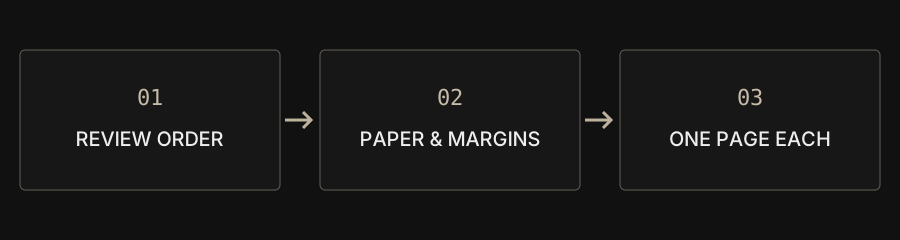
| Goal | Choose | Check |
|---|---|---|
| Mixed photos and screenshots | Image conversion → PDF | One page per image in list order |
| Consistent paper size | A4 portrait or landscape | Aspect ratio and blank space |
| Large batch | Up to 100 files / 100 MB total | Available device memory |
Can photos and screenshots go in the same PDF?
Yes. The image conversion hub accepts JPG, PNG, WebP and decodable HEIC together. Choose PDF as the output after adding files. Dedicated PNG and JPG tools accept only their listed formats; changing a filename extension does not convert an image. The mixed-format workflow is useful for combining phone photos and screenshots without first making separate PDFs. Source images remain on your device.
How do I keep the page order correct?
Review the visible file list before processing. Move entries with the up and down buttons and remove unwanted items. The converter uses that list rather than interpreting chapter numbers in names. A photo picker can deliver a different order from the one you expected. Zero-padded names such as 001 and 002 can help you organize inputs, but they are not a promise of automatic numeric sorting. Check the complete list.
Should I use A4 or the original image ratio?
Use A4 portrait or landscape when the recipient expects a consistent paper size. Original ratio fits page dimensions to each image and can produce mixed page sizes. No margin removes the added inset but keeps proportional fitting: the image is not stretched or cropped to fill an A4 sheet. A mismatch in aspect ratios can therefore leave blank space even with no margin.
Why does transparency become white?
PDF conversion flattens transparent areas onto white and re-encodes each page image as JPEG. Large inputs can be reduced to around 12 million pixels per page. Inspect fine text and diagrams in the saved result. Text in a screenshot remains an image; this workflow does not run OCR or create searchable text from it. Keep the original PNG if transparent layers or exact pixels matter.
Why can a batch fail below 100 images?
The count limit and byte limit apply separately: up to 100 files, 50 MB per file and 100 MB combined. One hundred 2 MB photos exceed the combined limit. Decoding can also require far more memory than the compressed file size. Processing uses the visitor’s CPU and memory, so a phone may need smaller batches. Save each batch, then merge the resulting PDFs when they fit the input limits.
What should I check before submitting?
Check page count, order, orientation, margins and small text. Compare output size with the recipient’s rules. Further image compression can reduce quality again, so review the final download rather than assuming completion means suitability. Keep your original pictures; the website does not back up source files or results.