Why your PDF is not getting smaller: compression modes explained
Start with optimization that keeps text. For scanned or image-heavy files, compare image compression. An optimized PDF may not shrink further, and CAPYPDF cannot guarantee a specific file size.
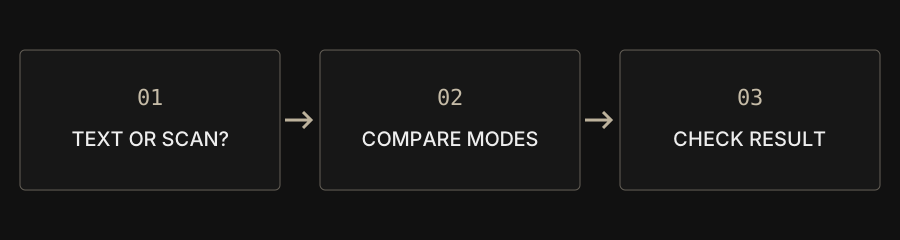
| Goal | Start with | Check |
|---|---|---|
| Keep selectable text | Structural optimization | Text, links and forms |
| Reduce a scan | Image compression | Fine print and stamps |
| Remove unneeded pages | PDF extraction | Recipient requirements |
Decide what the recipient needs
An attachment limit may apply to one file or the total submission. Check the accepted format and whether the recipient needs selectable text, working links or fillable fields. A smaller download is useful only if the document still does its job. Keep an untouched original so you can compare the result and try a different approach without losing information.
Identify text and image-heavy documents
A PDF exported from a word processor can contain text, fonts and drawing objects. A scan may instead contain a photograph of each page. Try selecting and copying a sentence as an initial check, while remembering that one file can contain both kinds of pages. Image-heavy documents offer different compression opportunities from small, already optimized text documents.
Choose a compression mode
Try structural optimization first when text selection matters. If a scanned document is still too large, compare image compression with a different quality setting. Image compression turns pages into images and does not preserve selectable text, interactive links or forms. Inspect small type, table borders, stamps and signatures at a useful zoom level after downloading.
Understand the target-size limit
CAPYPDF has no target-size setting and does not promise a fixed reduction percentage. The same page count can contain very different amounts of data. If processing makes the file larger, the tool provides the smaller original. When the result still exceeds a submission limit, consider extracting only the required pages if the recipient permits it. Do not sacrifice essential legibility simply to reach a number.
Do not confuse PDF compression with ZIP
A ZIP archive is a different format that requires extraction. A submission form accepting PDF may reject it. This tool keeps its result as PDF and does not archive PDFs into ZIP. ZIP downloads offered by batch image conversion are a separate workflow. Verify both the resulting extension and the recipient's requirements before submitting.