Cannot edit the original text in a PDF? Text, scans and Word conversion
CAPYPDF can replace recognized, ordinary top-level text blocks. It does not reflow a whole document like Word, and it cannot directly rewrite scanned images, outlined text or text inside complex objects. OCR is not included.
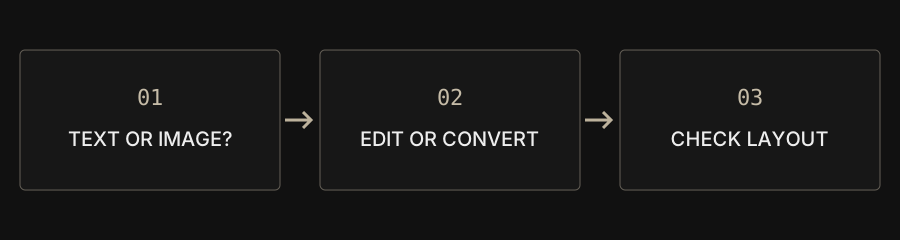
| Need | Workflow | Limit |
|---|---|---|
| Correct a small text block | PDF editor | Recognized text only |
| Rewrite paragraphs | Text-mode PDF to Word | Layout is reconstructed |
| Keep a visual reference | Image-mode PDF to Word | No individual text editing |
| Recognize a scanned image | Separate OCR workflow | OCR is not included |
Adding text is different from replacing it
Putting a new line on a page does not necessarily change the existing content. For a date or typo correction, first check whether the original-text editor recognizes the relevant block. Applying a supported replacement removes that selected text and embeds the new text. It does not reflow paragraphs like a word processor. For extensive revisions, obtaining the original DOCX is often a more practical starting point.
Visible letters may not be text
Letters can be pixels in a scan, vector outlines or drawing instructions inside complex objects. Their appearance does not establish whether a usable text block exists. You may add text on top of a scanned page, but that does not rewrite letters inside the photograph. CAPYPDF does not include OCR. Use a suitable recognition tool separately when you need scanned text and verify the recognized output.
Choose the right Word conversion
Text reconstruction creates editable DOCX text, but does not fully restore original paragraphs, image placement or complex layouts. Appearance mode embeds page images in DOCX. That may preserve a useful visual reference, but the letters inside those images are not individually editable. Choose according to whether editing content or retaining appearance matters more, rather than assuming that every DOCX download provides both.
Check fonts and the downloaded document
Replacement text embeds a Traditional Chinese font, so appearance and file size can change. Unsupported characters or symbols may fail. Test a small edit on a copy, apply it, inspect the preview and open the download in another PDF reader. Check replacement position, remaining original text, glyph appearance and the integrity of other pages before using the result.
Editing is not secure redaction
A white overlay, a new text box or a cropped page boundary is not evidence that sensitive data has been removed. Hidden content may still exist in the file. These editing and cropping tools are not a substitute for a verified redaction workflow. Consider the sensitivity of identifiers, financial details and other private material before choosing a method.