Are online PDF tools safe? What local processing actually means
CAPYPDF processes file content inside your browser rather than sending documents to a conversion server. Loading the site, fetching components and enabled analytics still involve network connections. Local processing is not a promise of full offline operation or zero risk.
| Action | File content | Possible connection |
|---|---|---|
| Open a page | No file selected | Site resources |
| Process a file | Inside the browser | On-demand components |
| Enable analytics | No file, name, password or signature payload | Analytics events |
| Save a download | Chosen device location | Device cloud synchronization |
Separate file processing from web traffic
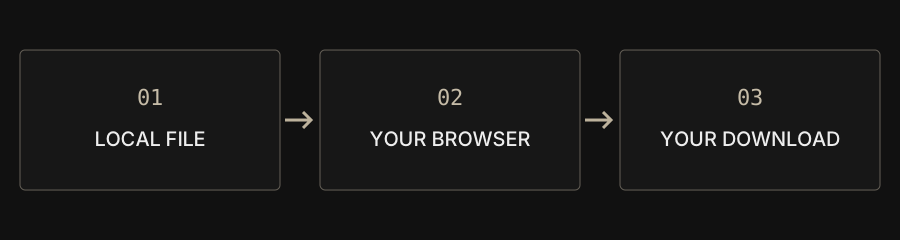
After you select a file, a browser can read and process it on your device. That differs from uploading the entire document to a remote service and retrieving the result. CAPYPDF uses local processing for its file tools. File contents, names, passwords and signatures are not sent to Google Analytics. This describes the processing path; it does not mean that all network activity stops.
Why the site still connects to services
Opening a page downloads interface resources, fonts and code. Some components load only when a tool needs them. When analytics is enabled, page views, traffic sources and tool-result events are sent to Google and may involve device and approximate-region information. You can disable usage analytics in the privacy settings without disabling the tools. This web version does not guarantee completely offline operation.
Observe traffic with a harmless test file
If you are familiar with developer tools, open the Network panel, preserve the log and complete a workflow using a non-sensitive sample. Inspect request destinations and payloads, distinguishing interface resources and analytics events from document transfers. This is an observation method, not proof that every version or feature is always safe. Do not expose confidential material merely to test a privacy claim.
Consider the device as well as the site
Browser extensions, shared devices, synchronized download folders and untrusted versions of a website can affect privacy. Keep your browser and document components updated. Large files can exceed available memory, particularly on a phone; smaller batches can be more practical. Keep the original when a job fails. For a public bug report, start with the tool name, browser and a non-sensitive reproduction rather than attaching private documents.
Understand downloads and signatures
Downloaded results are saved to your chosen location; the site does not back them up. A cloud-synchronized folder can transmit the result later under your device's settings. The signature tool adds a visible handwriting image, not a certificate-based digital signature or proof of identity. Cropping and overlays are not secure redaction. Follow your organization's rules for highly sensitive files.