Why PDF to Word changes the layout or leaves text uneditable
Choose editable text reconstruction to revise text, or appearance mode for page images. A scanned PDF needs OCR to become editable text; CAPYPDF does not currently provide OCR.
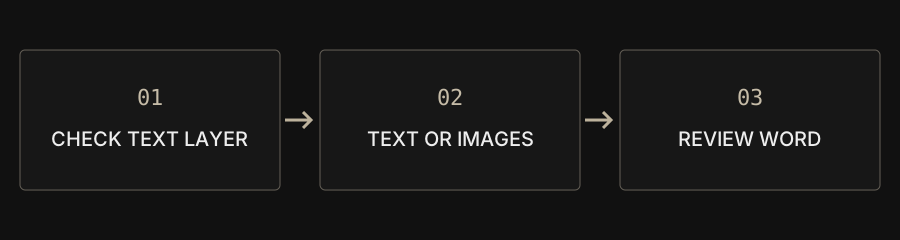
| Goal | Choose | Not included |
|---|---|---|
| Revise text | Editable reconstruction | Exact original layout |
| Keep page appearance | Page images | Individual text editing |
| Read letters in a scan | An OCR workflow elsewhere | Built-in CAPYPDF OCR |
Why can visible text produce an empty Word document?
Visible letters can be pixels in a scan, outlines or unsupported nested objects rather than extractable text. Try selecting and copying a sentence as an initial check, without assuming every block will extract correctly. An image-only document needs OCR first. Changing the file format alone cannot invent editable paragraphs.
How do text and appearance modes differ?
Text mode reconstructs extractable content for editing but does not fully restore original pictures, precise tables or complex layout. Appearance mode puts each PDF page into Word as an image; its letters cannot be edited individually. Choose according to the task rather than treating successful download as proof that both goals were achieved.
Why do tables, columns and fonts change?
A PDF records positioned page objects, not necessarily the source Word paragraphs, styles and table structure. Conversion reconstructs a new document rather than retrieving the original DOCX. Reading order, cross-page tables, special symbols and fonts may differ. Compare numbers, units, names and rows against every original page.
Do I need Word to change just one word?
For supported text blocks, PDF editing may be enough for a small correction. It does not reflow long paragraphs like Word, and the replacement font can differ. For substantial rewriting or table work, obtaining the original editable document is usually the most dependable approach. Otherwise budget time to reconstruct and review the layout.
What if I only need text or need to export PDF again?
PDF to TXT extracts existing text without OCR. After revising in Word, convert DOCX back to PDF; legacy DOC requires saving as DOCX first. The Office converter creates page images with an extractable text layer. Complex fonts, charts and layout can still differ, so review that new PDF independently.
How do I decide whether the result is usable?
Actually edit a paragraph if editing is the goal, compare pages if appearance matters, and confirm the recipient accepts the format. Check counts, reading order, numbers and page breaks. Keep the original. Local processing avoids sending document content to a conversion server but does not replace your own document-handling rules.