PDF merge order wrong or a file will not open? A practical checklist
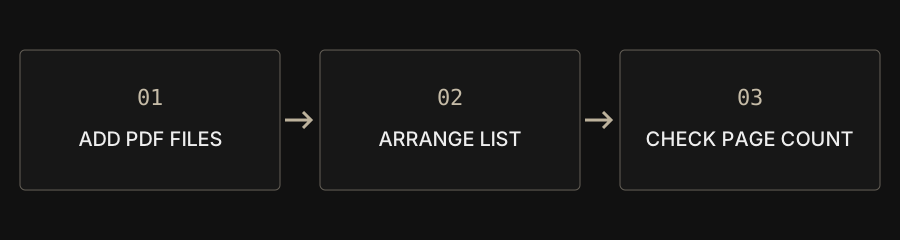
Add at least two readable PDFs, arrange the visible list and merge. If any input cannot be read, the whole job stops rather than silently producing a document with missing attachments.
| Issue | Start with | Verify |
|---|---|---|
| Wrong attachment order | Reorder the file list | Document boundary pages |
| Unreadable input | Authorized decryption or valid replacement | Every source opens |
| Oversized result | Extract necessary pages, then compress | Page count and legibility |
Why is the order different from the filenames?
The visible list determines order, not filenames or printed page numbers. A file picker may deliver items differently from your folder view. Use the up and down controls, remove duplicate inputs and follow the recipient’s required sequence. The tool does not infer chapters from document contents.
Can I merge photos or Office files directly?
The merge tool accepts PDFs. Convert images or Office documents first and check their output. If all inputs are pictures, use images to PDF to make a multipage document directly. That avoids creating separate one-page PDFs just to combine them again.
Can portrait and landscape pages coexist?
Yes. Each source page keeps its own size and orientation; merging does not standardize everything to A4. This preserves page appearance but may need print scaling. Rotate incorrect scans first. Cropping changes visible boundaries and is not a way to remove confidential content securely.
Why does one protected or damaged input stop the job?
Skipping a failed attachment could create a plausible but incomplete result. The job therefore stops. If you are authorized and know the password, decrypt a protected PDF first. There is no password cracking. For a damaged file that also fails in a normal reader, obtain a valid copy from its source.
Why is the result large, or a digital signature no longer valid?
Merging organizes pages rather than guaranteeing smaller output. Images and fonts accumulate across inputs. Extract only needed pages and compare compression if size matters. Rebuilding a document does not preserve the verification status of existing certificate signatures. Keep signed originals and check forms, bookmarks and other interactive content separately.
How should I verify the saved PDF?
Add source page counts, compare the total and inspect each boundary between documents. Check covers, duplicates, blank pages, orientation and actual download size. A batch accepts up to 100 PDFs within 100 MB combined, but device memory may require smaller jobs. Keep the untouched originals for troubleshooting or reordering.